Teacher Planner
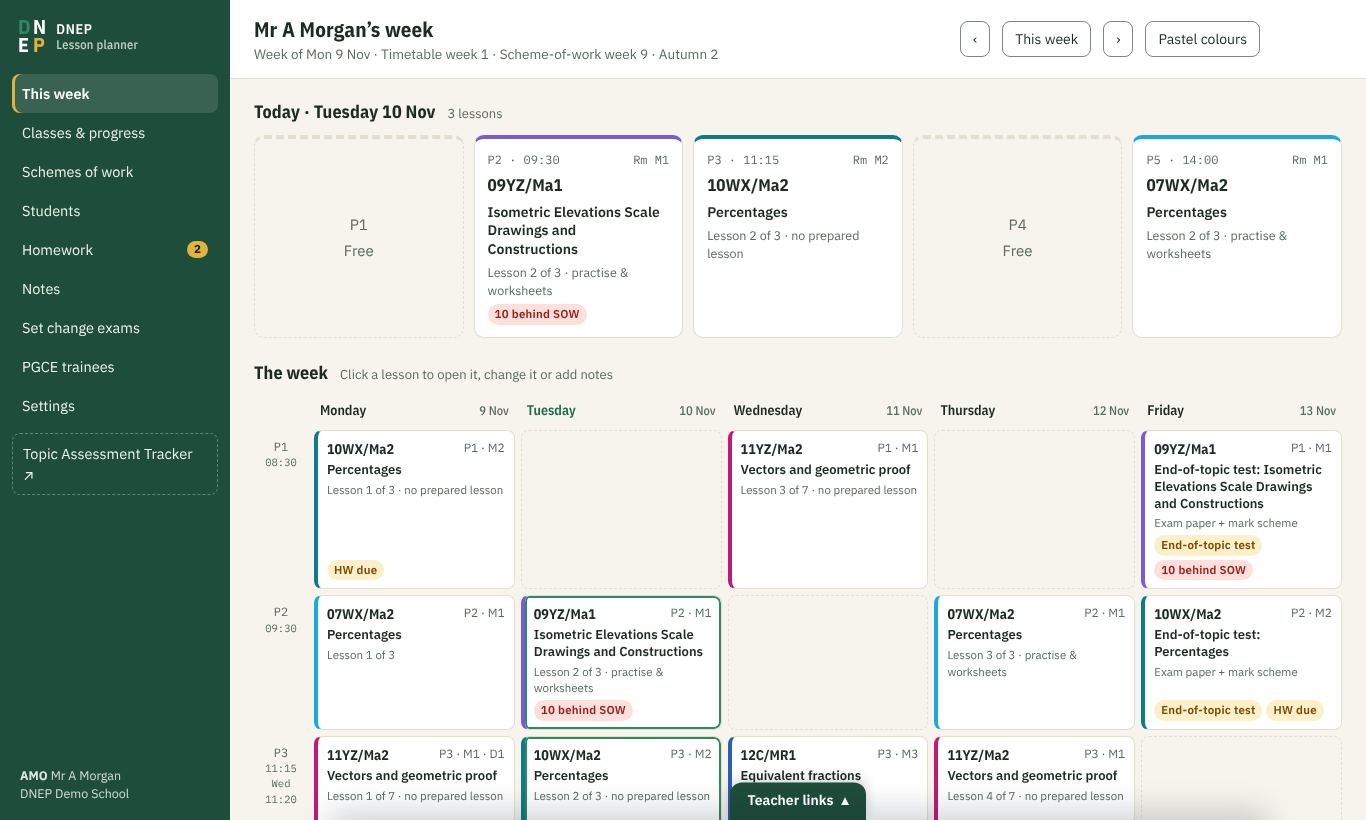
Your timetable, with every lesson's topic and resources ready.
The DNEP Teacher Planner and Topic Assessment Tracker run on your school Google or Microsoft account. Your timetable, your scheme of work, your resources and every pupil's marks are in one place, ready for the next lesson.
Google Calendar · Google Classroom · Google Drive · staff-only access
See how the Teacher Planner works →Years of slides, worksheets and starters sit in folders nobody can find. Point DNEP at the folder: it reads every file, works out which lesson of your scheme of work it belongs to and which classes it suits, and asks you to check. Then each lesson opens with your own files next to DNEP's.
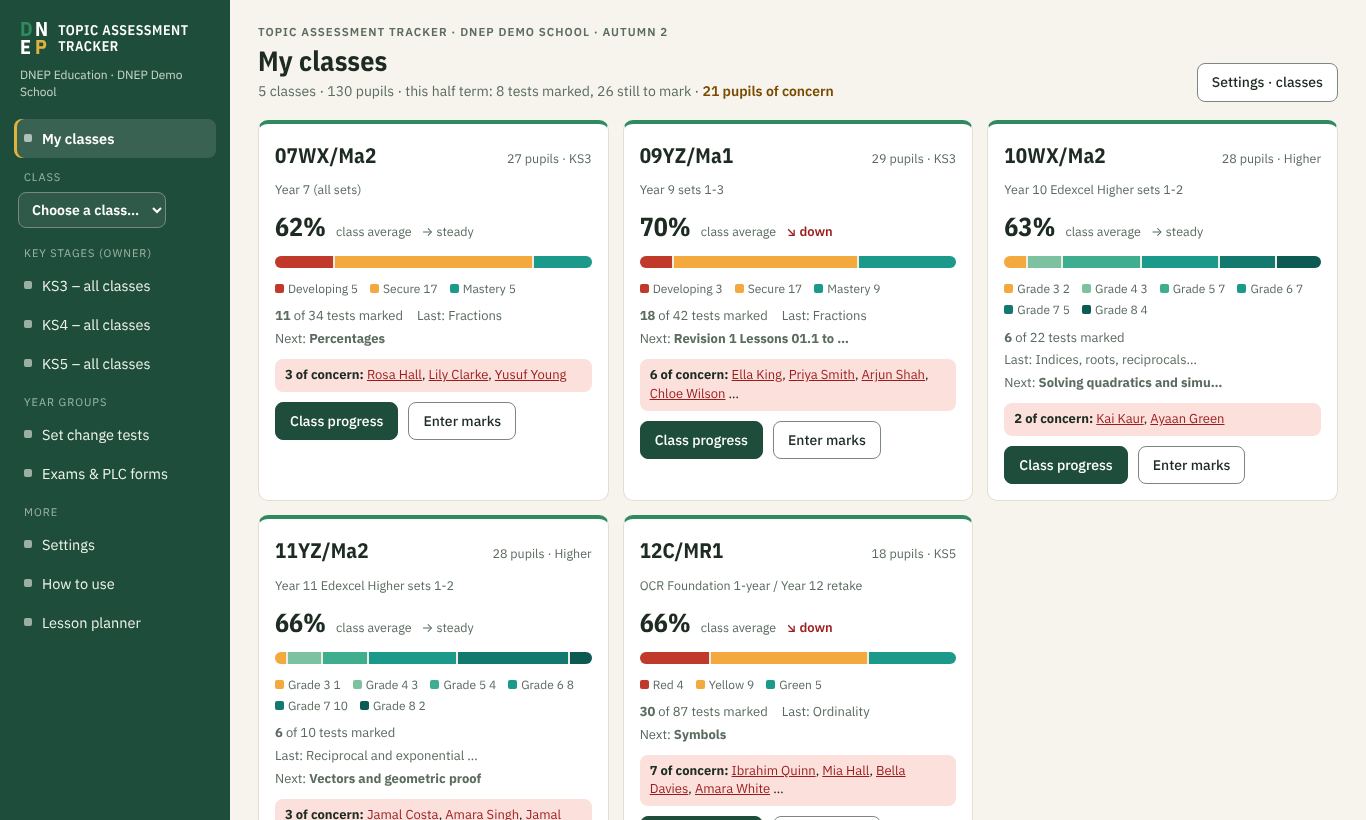
Students can get any online answer from AI in seconds, so platform data no longer shows what they can do. DNEP keeps assessment on paper and in the classroom. You give a short topic test, type in the marks, and the tracker turns them into the feedback and analytics.
Every lesson comes as a set: a slide deck that teaches it step by step, worksheets, a help sheet, vocabulary cards and an end-of-topic test with its mark scheme. Around them: revision lessons, topic books, flashcards, assessments and learning journeys, all in one house style and linked to the scheme of work, the planner and the tracker. DNEP works for every subject a school teaches; these are the resources we offer now.
Free resources: click a picture to see it larger, and use the green buttons under each row to download the full file. Decks open in PowerPoint or Google Slides; papers and sheets are PDFs ready to print.
Free to look at and try in your classroom. Schools get every resource, editable, through DNEP.
Every topic comes as the same complete set, in the order you teach it. Here is one: Year 9 · Calculations, checking and rounding. Click any page to see it full size.
Small previews of one topic. Schools get every topic, editable, through DNEP.
Each tool has its own page with the real screens, step by step. Or open the demo and try it yourself.
Your timetable, with every lesson's topic and resources ready.
Question-level marks become progress, stickers and reports.
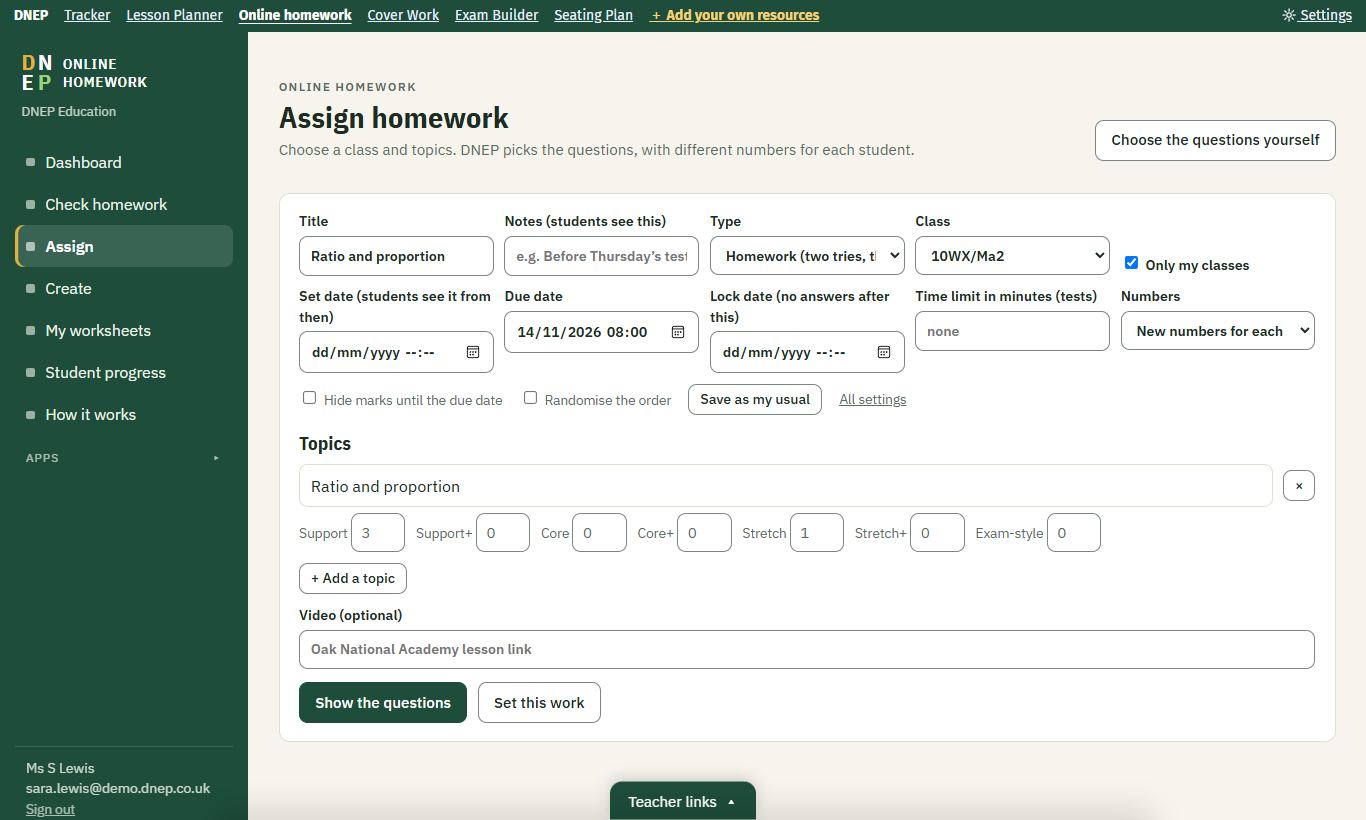
Each student gets their own questions, marked as they go.
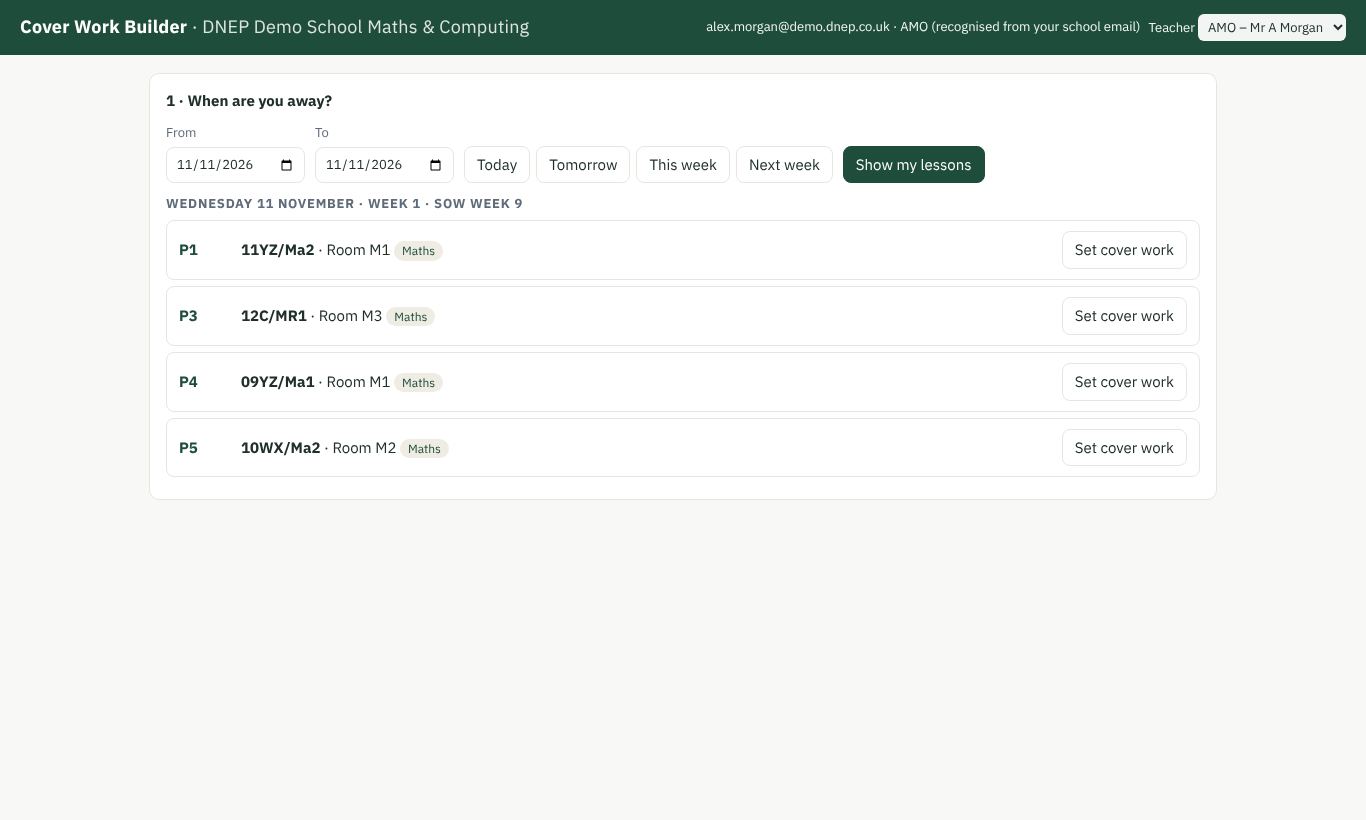
Pick the dates; every lesson is filled in from the scheme.
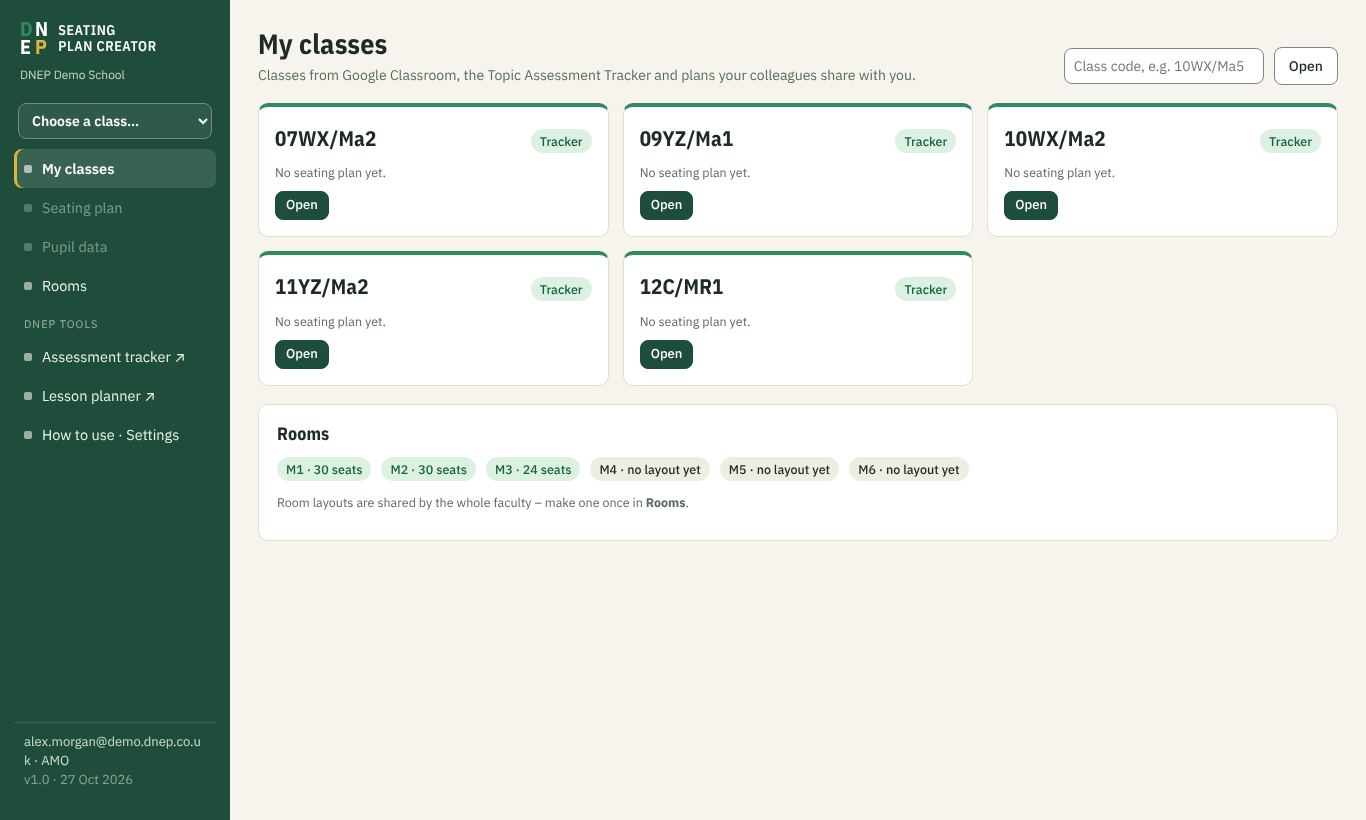
Seat a class from its tracker data, by your own rules.
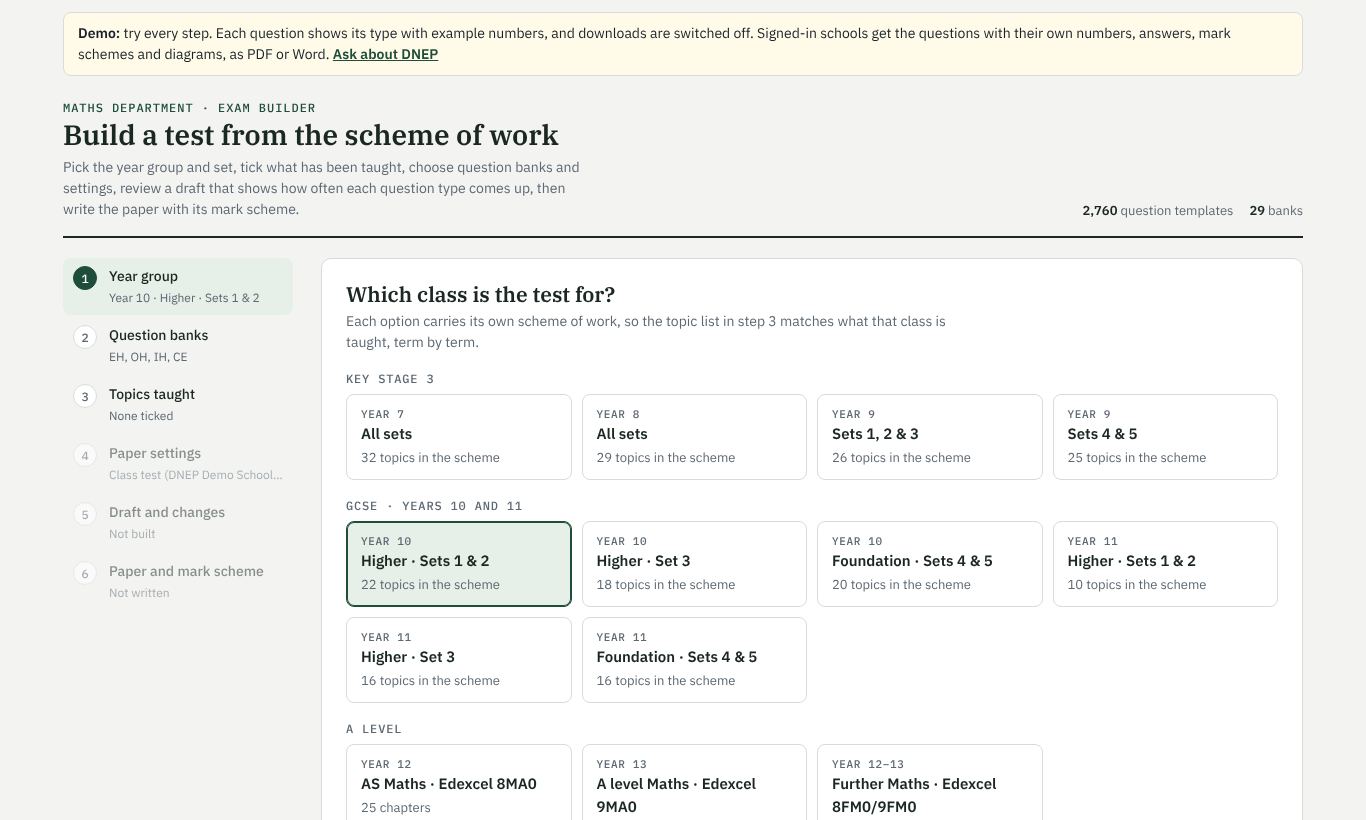
Tick what has been taught; get a paper and its mark scheme.
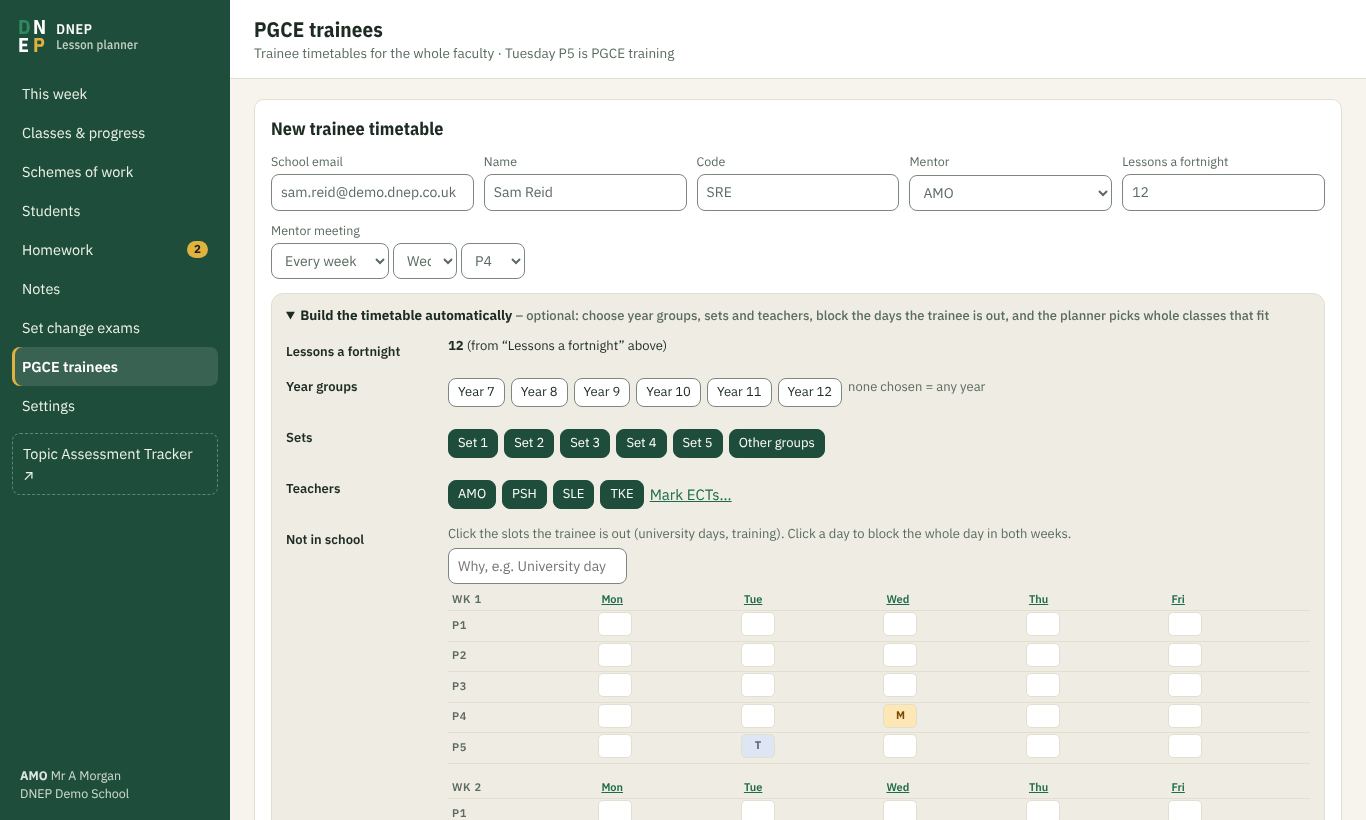
A trainee's timetable built from whole classes that fit.
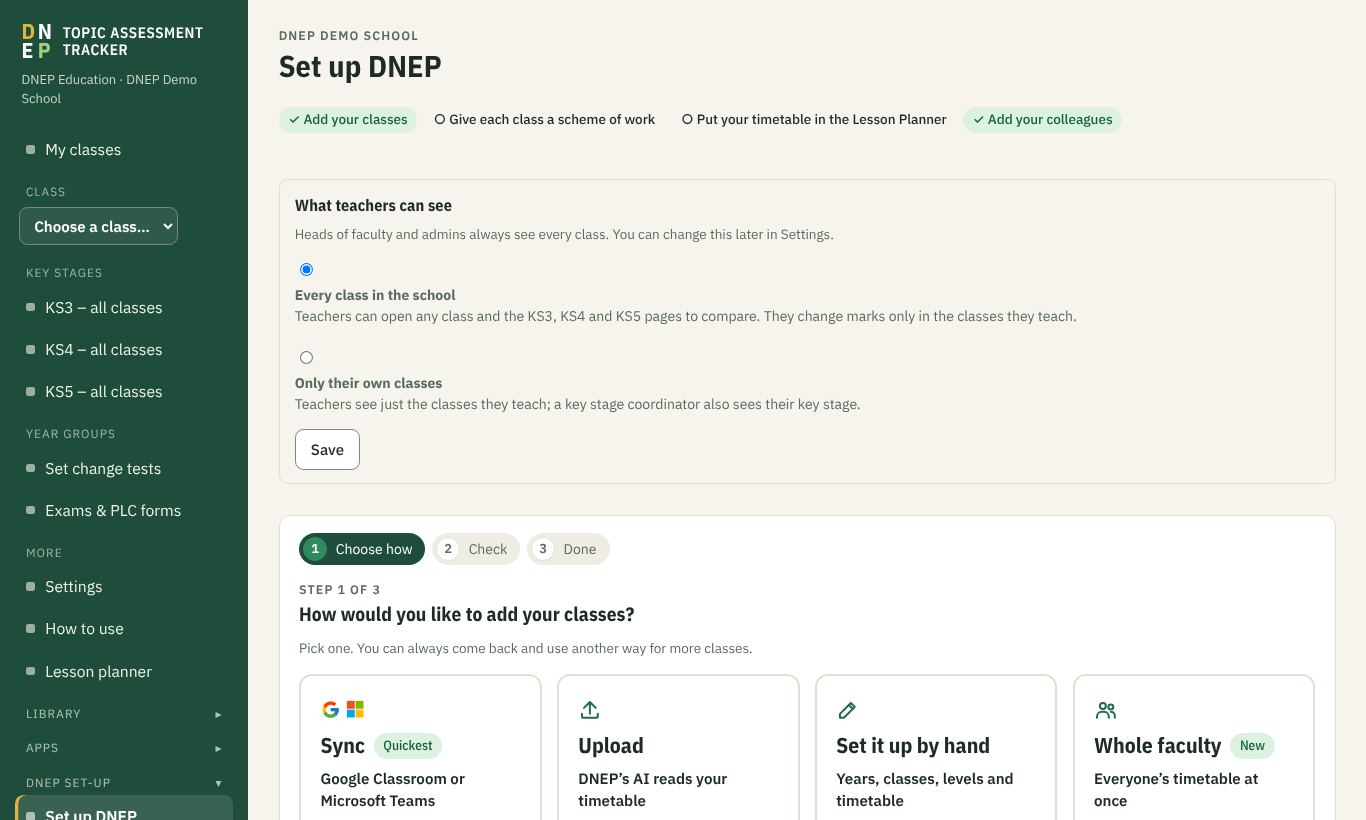
Sync, upload or type in your classes, timetable and schemes.
Inclusion bases are the Department for Education's name for provision inside mainstream schools for pupils with additional needs (guidance published June 2026). We plan to support them in DNEP: plans, progress and reviews for pupils who learn partly in the base and partly in mainstream lessons, joined up with the same tracker and lesson plans.
Most schools combine a planner, a seating tool, a test bank and a spreadsheet. DNEP connects all four.
| Feature | DNEP | Common Planner | Planboard | Class Charts | Exampro / Save My Exams |
|---|---|---|---|---|---|
| Lesson planning from the scheme of work | ✓ | ✓ | ✓ | — | — |
| UK timetable from Google Calendar | ✓ | US standards | Partial | From MIS | — |
| Question-level marks for topic tests | ✓ | — | Gradebook | — | Partial |
| Printed feedback stickers | ✓ | — | — | — | — |
| Feedback questions from class mistakes | ✓ | — | — | — | — |
| Set change tests and new set lists | ✓ | — | — | — | — |
| Seating plans from your data | Coming | — | — | ✓ | — |
| Exam / test builder | ✓ | — | — | — | ✓ |
| Cover work from the planned lesson | ✓ | Sub plans | — | — | — |
Compared using each product's public website, October 2026.
Try the demo: a made-up school with the real DNEP planner, tracker, stickers, online homework, cover work, Exam Builder and seating plans. Invited schools sign in with their school Google or Microsoft account.
Two pilot school places, free for a year, are still available. Other departments start with a free month, then pay the introductory price of £350 a year per subject: see pricing. Ask for a pilot place, join the list or ask us anything.
Despina Nicolaou and Erich Pohl
DNEP Education
Or email us: info@dnep.co.uk